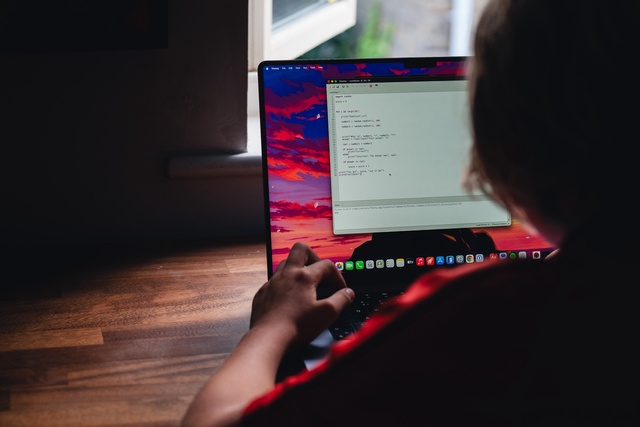

Teaching my son to code in a day
My son Tyler had a work placement day. He's nearly 13, and the usual version of these days is a lot of making tea, watching someone else work, and quietly counting down to home time. He is starting a computer science GCSE next year and I work in software, so I figured we could do better than that. The GSCE focuses on Python so the plan was, he'd start the day having never written a line of Python, or code at all for that matter, and finish it having built something real himself.
Not something I built while he watched. Something he built.
The idea
I didn't want a tutorial he could copy and paste his way through. Copying code teaches you almost nothing. The learning happens when you type it yourself, get it wrong, and work out why. So the rule for the day was simple: Tyler types every line. I don't touch the keyboard.
The whole plan was a calculator. That was it. I genuinely thought learning printing, variables, input, if statements, loops etc would comfortably fill a full day for someone who'd never coded before. Each new concept would be introduced one small piece at a time, with a challenge to actually use it.
Using AI as the teacher
Here's the part I was less sure about. I couldn't sit with him the whole day, and I didn't want to be the bottleneck every time he got stuck. So I set up an AI assistant to act as his teacher for the day.
I had it write the materials too. I didn't sit down and author a workbook myself, I told the AI what I wanted and let it do the writing. I gave it the tasks and the order to teach them in and, just as importantly, how to behave:
you are a patient teacher for a 12-year-old, he does all the typing, you guide with hints and questions, and you never paste the solution. When he's stuck, ask a leading question first. Let him hit bugs and work them out.
From that it produced the workbooks, each task written up with a goal, a small example and a challenge, but with the finished code deliberately left out. There was also a playbook for itself and a separate solutions file, so it always knew where he was heading and could spot a mistake without ever showing him the answer.
Watching him solve the bugs
I also had AI hide a couple of bugs in the tasks on purpose - lets face it, code isn't complete without a few bugs. The first one is a classic. Ask Python for two numbers using input(), add them together, and you get nonsense. Type 10 and 5 and it proudly tells you the answer is 105. It's glued them together instead of adding them, because input() gives you text, not numbers. Tyler found this himself, pulled a face, and called me over. Watching him work out that "10" the word and 10 the number are different things and then fix it, was genuinely brilliant. That's a real concept that catches out professional developers, and he got it at 12.
The second was dividing by zero, which crashes the whole program with a wall of red text. He hit it, we talked about why maths can't divide by zero either, and later he added a check so it prints "I wouldnt do that if I was you" instead of falling over. That message is staying in forever.
But the thing he found hardest wasn't a bug at all. It was indentation. Python uses the spaces at the start of a line to know what sits inside a loop, and that idea took a while to land. We got there with a picture of boxes inside boxes, and once it clicked his loops started working.
He finished by half two
I'd blocked out the entire day for the calculator. He'd finished it by 2:30pm.
I honestly didn't see that coming. I'd wildly underestimated how fast he'd move once things started to click. So rather than let him coast through the last couple of hours, I asked the AI to spin up a second project on the spot. Tyler loves maths and always asks me random maths calculations, so this time, I got AI to create a maths quiz game, same rules as before. It reused everything he'd already learned and added a couple of new ideas on top, random numbers and keeping score, and he cracked straight on with it.
The teacher
Aside from Tylers success for the day, this is probably the bit that impressed me the most throughout the experience. I had told the AI how to interact with Tyler but actually seeing it in action, left me very impressed. Not only did it guide him through the code very clearly, it encouraged him, praised him and celebrated with him to keep him engaged throughout the day.
What he built
By the end of the day he had two working programs. A calculator that handles all four operations, copes with decimals, loops until you tell it to stop, and refuses to divide by zero. And a maths quiz game that fires ten random questions at you, marks each one, keeps score and tells you how you did.
Both are held together with the exact same building blocks I use every day at work. He wrote all of it. Very proud dad moment.
It's all on GitHub
We put everything in a repository so he's got it to look back on: github.com/tamphlett/first-project. It's got both of his programs, the workbooks he followed, and the teacher playbook I wrote for the AI. Tyler even wrote the README description himself.
If you want to try something similar, the repo has a short section on how to set it up, but the summary is: give the learner the tasks, not the answers. Tell the AI to teach, not to solve. Leave a few bugs in on purpose. Then get out of the way and let them build it.
Best work placement day I've been part of, and I only had to make the tea.