
Connecting my home lab to GKE with Tailscale
I run a small home lab on two k3s nodes and for a while I've been running Uptime Kuma there to monitor my services. It works fine, but it has always bothered me slightly that the thing doing the monitoring lives on the same infrastructure it's supposed to be watching. If the home lab has a problem, so does the monitoring.
The obvious fix is to run the monitoring somewhere independent. I already have a GKE cluster for some public-facing services, so it made sense to move Uptime Kuma there. The problem is that most of what I want to monitor — home servers, IoT devices, local services — sits behind my home router and isn't reachable from the internet.
That's where Tailscale comes in.
What is Tailscale
Tailscale creates a private network between any devices you install it on. Each device gets a stable IP in the 100.x.x.x range and can reach any other device on the network directly, regardless of where it actually is or what's in between. No port forwarding, no dynamic DNS, no firewall rules. It just works.
I'd been aware of Tailscale for a while but hadn't had a concrete reason to use it. This felt like the right use case.
The plan
The idea was straightforward:
- Install Tailscale on my k3s nodes so they join the network
- Run Tailscale as a sidecar container in the Uptime Kuma pod on GKE so it joins the same network
- Uptime Kuma can then reach my home servers via their Tailscale IPs
Simple enough in theory. In practice I ran into a few things worth documenting.
GKE Autopilot doesn't work
My GKE cluster was running in Autopilot mode. Tailscale needs NET_ADMIN capability and access to /dev/net/tun to create a real network interface. Autopilot blocks both of these.
Without them, Tailscale falls back to userspace networking mode — it still connects to the Tailscale network, but instead of creating a proper network interface, it only exposes a SOCKS5 proxy. Applications have to explicitly route traffic through the proxy rather than Tailscale being transparent.
I spent a while trying to make this work before accepting it was the wrong tool for the job. Uptime Kuma's TCP and ping monitors don't support SOCKS5 proxies, which is exactly what I needed them to do. The only monitor type that works with a proxy is HTTP, which would have meant changing how I monitor everything just to work around a platform limitation.
The fix was to recreate the cluster as GKE Standard, which doesn't have these restrictions. If you're planning to do something similar, save yourself the trouble and start with Standard.
Installing Tailscale on the k3s nodes
This part was easy. SSH into each node and run the install script:
curl -fsSL https://tailscale.com/install.sh | sh
sudo tailscale up --accept-dns=true
Each node authenticates via a URL in the terminal, joins the network, and gets a stable 100.x.x.x IP. I also enabled IP forwarding on both nodes — this is required for subnet routing later:
echo 'net.ipv4.ip_forward = 1' | sudo tee -a /etc/sysctl.d/99-tailscale.conf
echo 'net.ipv6.conf.all.forwarding = 1' | sudo tee -a /etc/sysctl.d/99-tailscale.conf
sudo sysctl -p /etc/sysctl.d/99-tailscale.conf
Running Tailscale as a sidecar on GKE
On GKE you don't have access to the node OS, so you can't install Tailscale there directly. Instead, you run it as a sidecar container alongside your application in the same pod. Both containers share a network interface, so the application's traffic goes through Tailscale without needing any changes to the application itself.
The sidecar needs a few things to work properly on GKE Standard:
- name: tailscale
  image: tailscale/tailscale:latest
  securityContext:
    capabilities:
      add:
        - NET_ADMIN
  env:
    - name: TS_USERSPACE
      value: "false"
    - name: TS_AUTHKEY
      valueFrom:
        secretKeyRef:
          name: tailscale-auth
          key: TS_AUTHKEY
    - name: TS_STATE_DIR
      value: /var/lib/tailscale
    - name: TS_ACCEPT_DNS
      value: "true"
    - name: TS_EXTRA_ARGS
      value: "--accept-routes"
    - name: TS_KUBE_SECRET
      value: ""
    - name: TS_HOSTNAME
      value: my-app
  volumeMounts:
    - name: tailscale-state
      mountPath: /var/lib/tailscale
    - name: dev-net-tun
      mountPath: /dev/net/tun
A couple of things caught me out here. TS_USERSPACE defaults to true in the container image even on a cluster that supports kernel networking — you have to explicitly set it to false. I only spotted this by checking the startup logs and seeing --tun=userspace-networking being passed. The other is TS_STATE_DIR — it needs to be backed by a PVC, not an emptyDir. Without persistence, every pod restart generates a new node key and registers a brand new device with a new IP in the Tailscale dashboard.
Subnet routing
At this point Uptime Kuma could reach my k3s nodes by their Tailscale IPs, but most of what I actually want to monitor doesn't have Tailscale installed. My IoT devices, local services running behind Traefik, and other home network infrastructure are all on private subnets that Tailscale doesn't know about.
Tailscale's subnet routing feature solves this. You configure one or more nodes to advertise local subnets to the rest of the Tailscale network, acting as a gateway. I enabled this on both k3s nodes for redundancy — if one goes down, Tailscale automatically fails over to the other:
sudo tailscale up --advertise-routes=192.168.1.0/24,10.0.0.0/24 --accept-dns=true
After approving the routes in the Tailscale admin dashboard, the GKE pod can reach anything on those subnets. To the rest of my network, the traffic looks like it's coming from the k3s node — it gets masqueraded via iptables before leaving the node's LAN interface, so existing firewall rules continue to work without any changes.
Split DNS
The last piece was hostname resolution. My local services are accessible via names like service.local.example.net, defined in a local DNS server. The GKE pod had no way to resolve these.
Tailscale supports split DNS — you configure it to use a specific nameserver for a particular domain. In the Tailscale admin dashboard I pointed my local domain at my DNS server's LAN IP. Since subnet routing is already in place, the DNS queries route through the k3s node to reach the DNS server, and the GKE pod can now resolve any local hostname.
The result
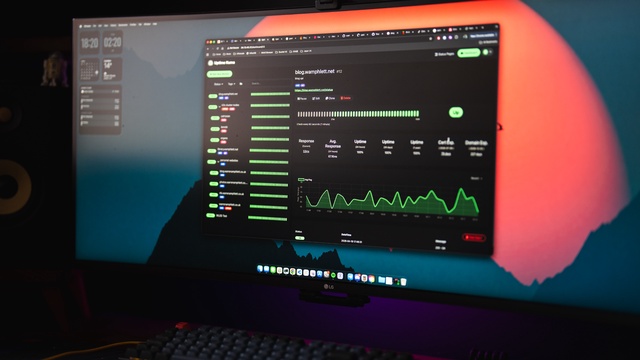
Uptime Kuma is now running on GKE, independent of my home lab, and can monitor everything:
- Home servers by their Tailscale IPs
- IoT devices and local services by IP via the subnet router
- Local services by hostname via split DNS
If my home lab has a problem, the monitoring keeps running. If Uptime Kuma has a problem, it doesn't affect anything at home.
The whole setup ended up being less complex than I expected, mostly thanks to Tailscale handling the hard parts. The main things to know going in are: use GKE Standard not Autopilot, explicitly set TS_USERSPACE=false, and back the state directory with a PVC.